

Text column
TextColumn is used to render simple text in the table — it’s the column that gets used by default when a column is not specified:
from almasix.orbit.tables import TextColumn
TextColumn.make("title")
If you only want to render the text of a column and nothing else, you don’t need to use TextColumn explicitly — passing the attribute name to .columns([...]) as a bare string is enough in most apps. TextColumn becomes useful once you reach for formatting, color, icons, badges, or any of the helpers below.
Customizing the color
Section titled “Customizing the color”You may set a color for the text, using any of the inbuilt color names — primary, success, warning, danger, info, or gray:
TextColumn.make("status").color("primary")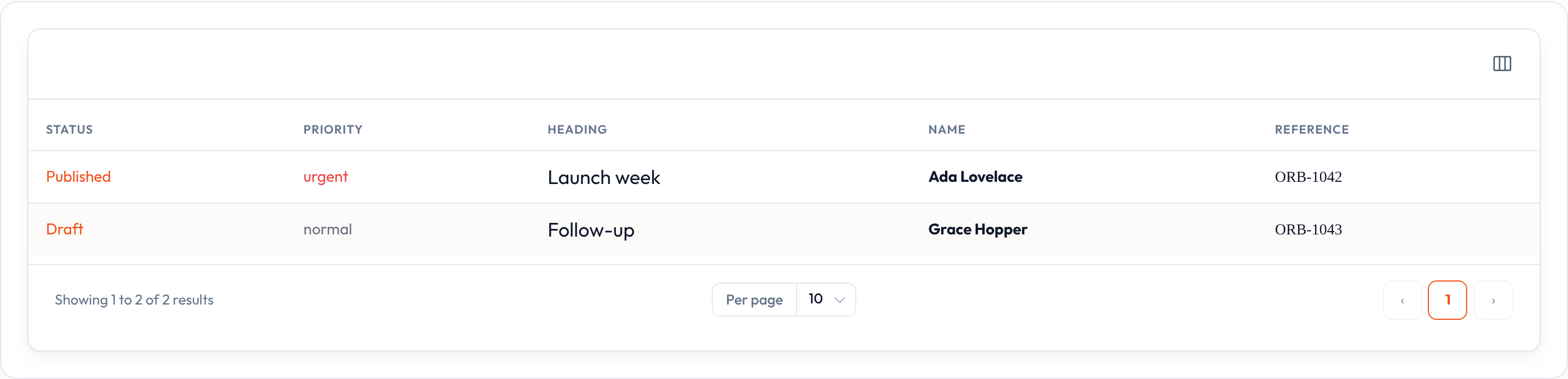
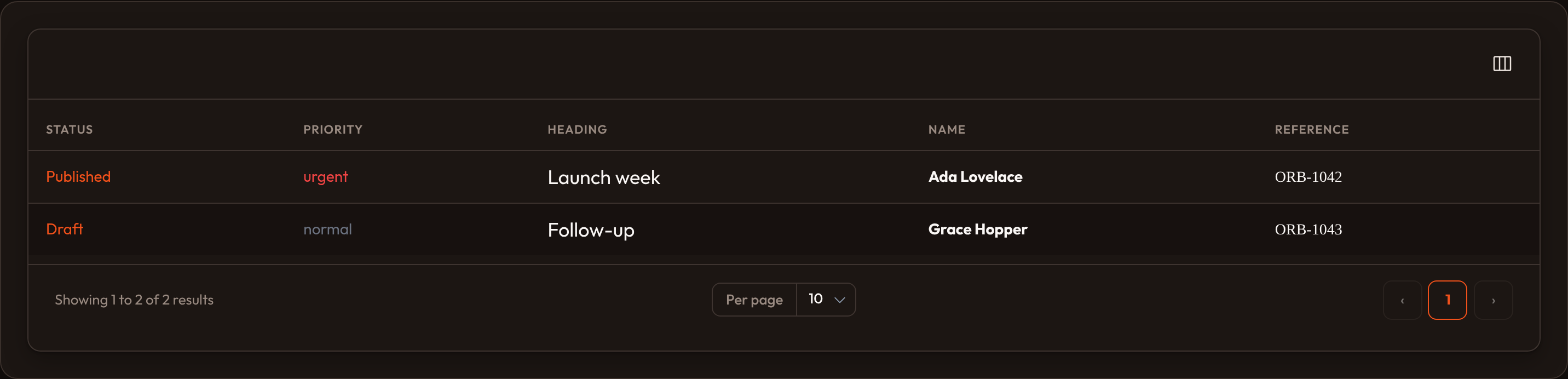
To choose the color at render time, pass a callback. It receives record and state:
TextColumn.make("priority").color( lambda state=None, **_: "danger" if state == "urgent" else "gray",)Adding an icon
Section titled “Adding an icon”Text columns can have an icon rendered next to their content:
TextColumn.make("name").icon("heroicon-o-user")Setting the icon’s position
Section titled “Setting the icon’s position”The icon defaults to the position before the text. You can move it after the text instead:
TextColumn.make("email") .icon("heroicon-o-envelope") .icon_position("after")Customizing the icon’s color
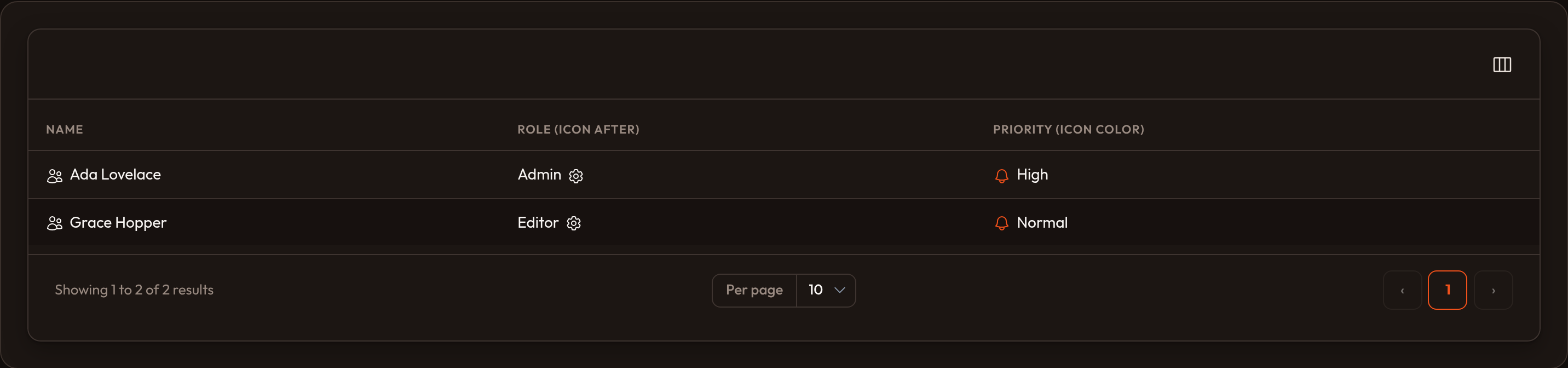
Section titled “Customizing the icon’s color”The icon’s color defaults to the color of the text, but you may customize it independently:
TextColumn.make("email") .icon("heroicon-o-envelope") .icon_color("primary")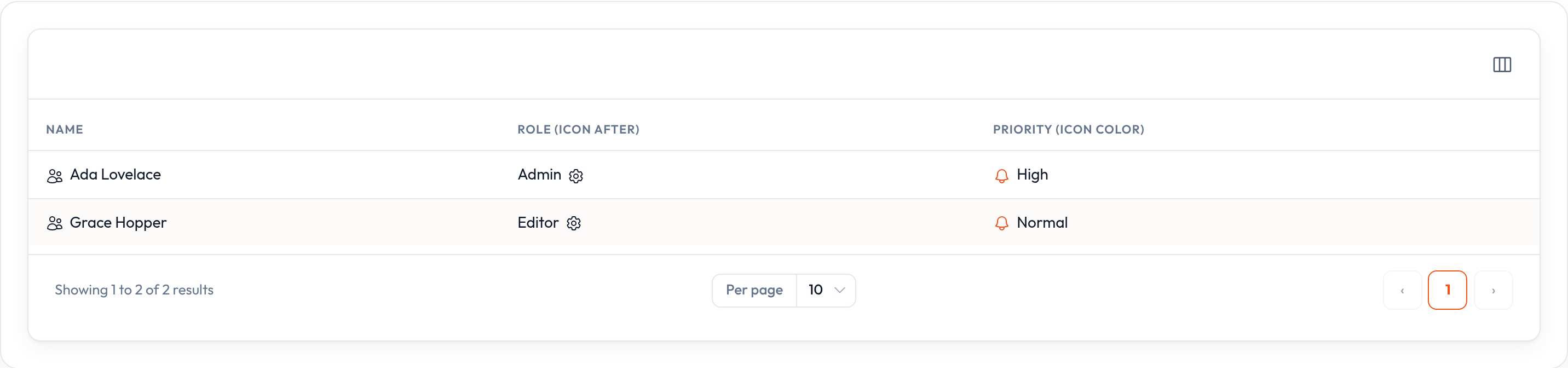
Displaying as a badge
Section titled “Displaying as a badge”By default, text is quite plain and has no background color. You can display it as a “badge” instead, which gives the text a pill-shaped colored background and better draws the eye to it:
TextColumn.make("status").badge().color("success").badge() also accepts a condition, so the same column can render as plain text or a badge depending on the row:
TextColumn.make("status").badge( lambda record=None, **_: record.get("status") != "draft",)If a column is always a badge, reach for BadgeColumn instead — it’s a thin TextColumn subclass with .badge() already applied, so you don’t have to repeat it.
Formatting
Section titled “Formatting”Date & time formatting
Section titled “Date & time formatting”You can format the column’s state using .date(), its %-style strftime equivalent, .date_time(), or a time-only value with .time():
TextColumn.make("published_at").date("%b %d, %Y")TextColumn.make("updated_at").date_time("%b %d, %Y %H:%M")TextColumn.make("opens_at").time("%H:%M")Each accepts datetime/date/time objects as well as ISO-formatted strings — Orbit parses the string for you before formatting it.
Relative (“since”) dates
Section titled “Relative (“since”) dates”To display the date as relative-to-now text instead (“5 minutes ago”, “in 2 days”), use .since():
TextColumn.make("last_seen_at").since()Numeric formatting
Section titled “Numeric formatting”.numeric() formats the column as a number, optionally rounding to a fixed number of decimal places:
TextColumn.make("views").numeric()TextColumn.make("score").numeric(decimal_places=1).align_end()Money formatting
Section titled “Money formatting”.money() formats the state as currency. Pass the currency code as the first argument:
TextColumn.make("amount").money("USD")If your database stores the value as an integer in cents (or another minor unit) to avoid rounding errors, use divide_by to turn the integer into major units before formatting:
TextColumn.make("amount_cents").money("USD", divide_by=100)decimal_places controls how many digits render after the decimal point (defaults to 2):
TextColumn.make("amount").money("EUR", decimal_places=0)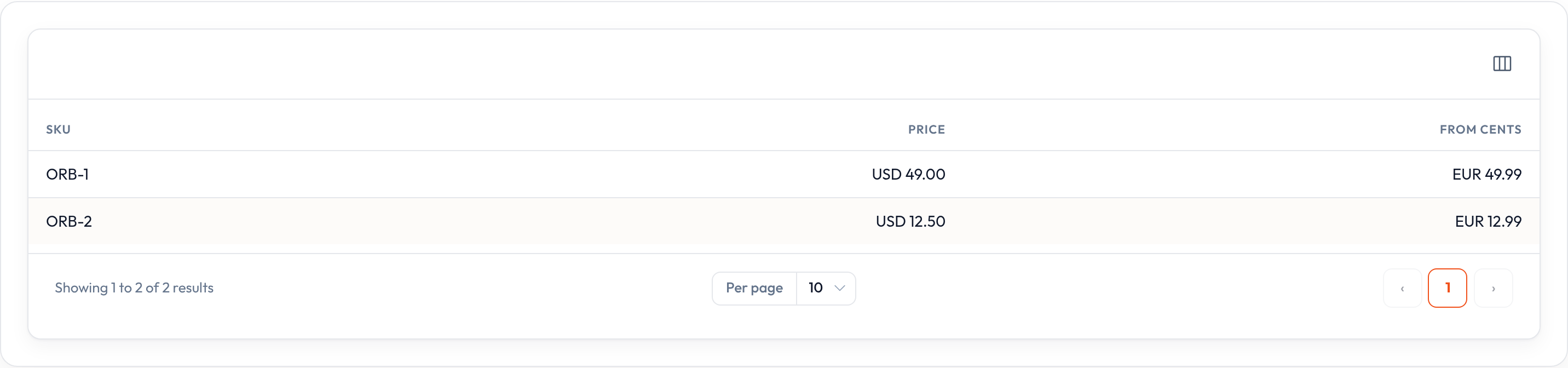
Custom formatting
Section titled “Custom formatting”.format_state_using() lets you transform the resolved state into anything you like, right before it renders — the raw value is still used for sorting and searching:
TextColumn.make("sku").format_state_using(lambda state: state.upper())Rendering HTML
Section titled “Rendering HTML”Markdown
Section titled “Markdown”If your text column contains Markdown, you may render it with .markdown(). Orbit supports a small, safe subset — **bold**, *italic*, and newlines:
TextColumn.make("blurb").markdown()Custom HTML
Section titled “Custom HTML”If the state already contains trusted HTML, use .html() to render it as-is instead of escaping it:
TextColumn.make("summary").html()Only enable .html() for content you control — Orbit does not sanitize it.
Descriptions
Section titled “Descriptions”Descriptions allow you to render extra text below (or above) the column’s contents:
TextColumn.make("title").description( lambda record=None, **_: record.get("subtitle", ""),)By default the description is placed below the main text. Use position="above" to render it first:
TextColumn.make("title").description("Draft — not yet published", position="above")If a column’s state is naturally a list — or a delimited string — you can display each item on its own line, or split a string into that list.
Bulleted lists
Section titled “Bulleted lists”Render list state with a bullet in front of each item using .bulleted():
TextColumn.make("features").bulleted()Separating a string into a list
Section titled “Separating a string into a list”If the state is a plain string, .separator() splits it before display. Pair it with .bulleted() for a bulleted list, or leave it plain to display the pieces on one line, rejoined by the same separator:
TextColumn.make("tags").separator(",")TextColumn.make("tags").separator(",").bulleted()Combine .separator() with .badge() to turn a CSV string or list into a cluster of badges, right inside TextColumn:
TextColumn.make("tags").separator(",").badge().color("primary")Customizing the text size
Section titled “Customizing the text size”Text defaults to a normal font size. You can choose a size, from xs through 2xl:
TextColumn.make("heading").size("lg")Font weight
Section titled “Font weight”Text defaults to a normal font weight. Use a heavier or lighter weight — thin, light, medium, semibold, bold, extrabold, or black — to draw attention to important columns:
TextColumn.make("name").weight("bold")Customizing the font family
Section titled “Customizing the font family”You may switch to a serif or monospaced font for identifiers, code, or amounts:
TextColumn.make("reference").font_family("mono")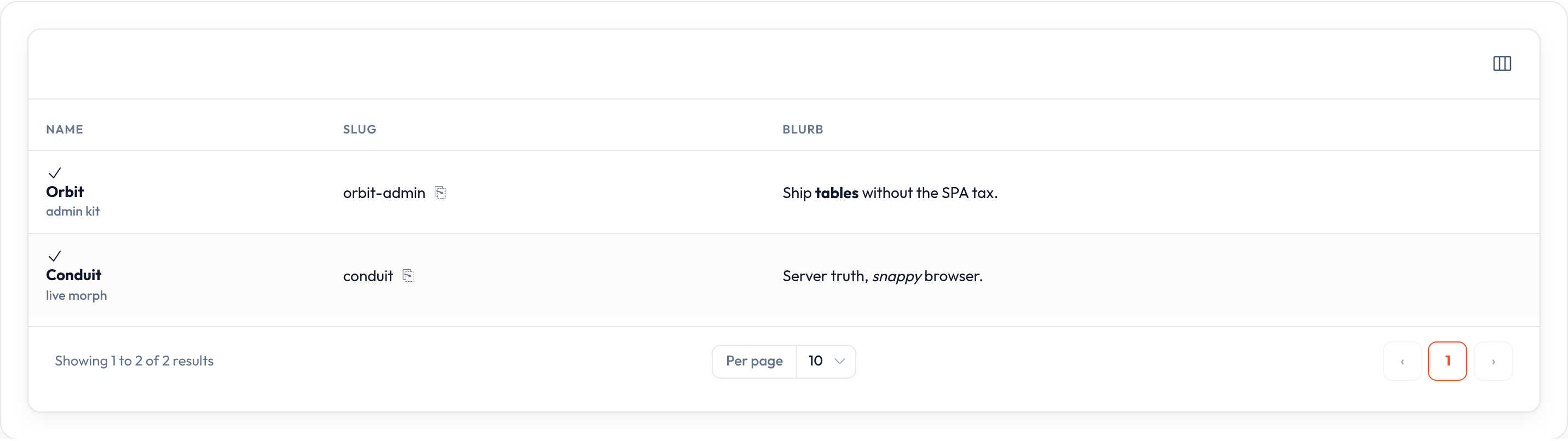
Limiting text length
Section titled “Limiting text length”Limiting length
Section titled “Limiting length”.limit() truncates the text to a set number of characters, appending an ellipsis (or a custom string) when clipped:
TextColumn.make("description").limit(50)TextColumn.make("description").limit(50, end=" (…)")Limiting word count
Section titled “Limiting word count”To truncate by word count instead of character count, use .words():
TextColumn.make("description").words(10)Wrapping text
Section titled “Wrapping text”By default, cells clip long text on one line. .wrap() allows it to wrap onto multiple lines instead of truncating:
TextColumn.make("description").wrap()Limiting text to a number of lines
Section titled “Limiting text to a number of lines”.line_clamp() lets text wrap, but only up to a fixed number of lines before it is clipped with an ellipsis — useful for long descriptions in a fixed-height row:
TextColumn.make("description").wrap().line_clamp(2)Allowing the text to be copied
Section titled “Allowing the text to be copied”You may make the text copyable, so an operator can click a button to copy the value to their clipboard, using .copyable():
TextColumn.make("api_token").copyable()You can override the tooltip that appears once the value is copied, and how long it appears for:
TextColumn.make("api_token") .copyable() .copy_message("Copied to clipboard") .copy_message_duration(1500)Opening URLs
Section titled “Opening URLs”You may open a URL when a cell is clicked, either in the same browser tab, or a new one:
TextColumn.make("title").url( lambda record=None, **_: f"/posts/{record['id']}",)TextColumn.make("website").url( lambda state=None, **_: state,).open_url_in_new_tab()Full example
Section titled “Full example”from almasix.orbit.tables import Table, TextColumn
Table.make("orders").columns([ TextColumn.make("title") .weight("bold") .description(lambda record=None, **_: record.get("customer", "")), TextColumn.make("status").badge().color( lambda state=None, **_: {"paid": "success", "due": "warning"}.get(state, "gray"), ), TextColumn.make("amount").money("USD").align_end().sortable(), TextColumn.make("placed_at").since(), TextColumn.make("reference").copyable().font_family("mono"),]).records([ { "id": 1, "title": "#1042", "customer": "Ada Lovelace", "status": "paid", "amount": 4899, "placed_at": "2026-09-18T10:15:00", "reference": "ORB-1042", }, { "id": 2, "title": "#1043", "customer": "Grace Hopper", "status": "due", "amount": 1200, "placed_at": "2026-09-17T08:00:00", "reference": "ORB-1043", },])Key methods
Section titled “Key methods”| Method | Effect |
|---|---|
.color(str | callable) |
Text color — primary, success, warning, danger, info, gray |
.icon(str | callable) / .icon_position("before" | "after") / .icon_color(...) |
Icon next to the text |
.badge(bool | callable) |
Pill-shaped background |
.date(fmt) / .date_time(fmt) / .time(fmt) / .since() |
Date & time formatting |
.numeric(decimal_places=None) |
Number formatting |
.money(currency, *, divide_by=1, decimal_places=2) |
Currency formatting |
.markdown() / .html() |
Rich content rendering |
.description(text, *, position="below" | "above") |
Secondary text |
.bulleted() / .separator(char) |
List rendering / splitting |
.size(...) / .weight(...) / .font_family(...) |
Typography |
.limit(n, end="…") / .words(n) / .wrap() / .line_clamp(n) |
Truncation & wrapping |
.copyable() / .copy_message(...) / .copy_message_duration(ms) |
Clipboard |
.url(str | callable) / .open_url_in_new_tab() |
Links |
.format_state_using(callback) |
Transform the display value only |
See Columns overview for the shared APIs every column type gets for free — state, sorting, searching, tooltips, visibility, and more.