

Table summaries
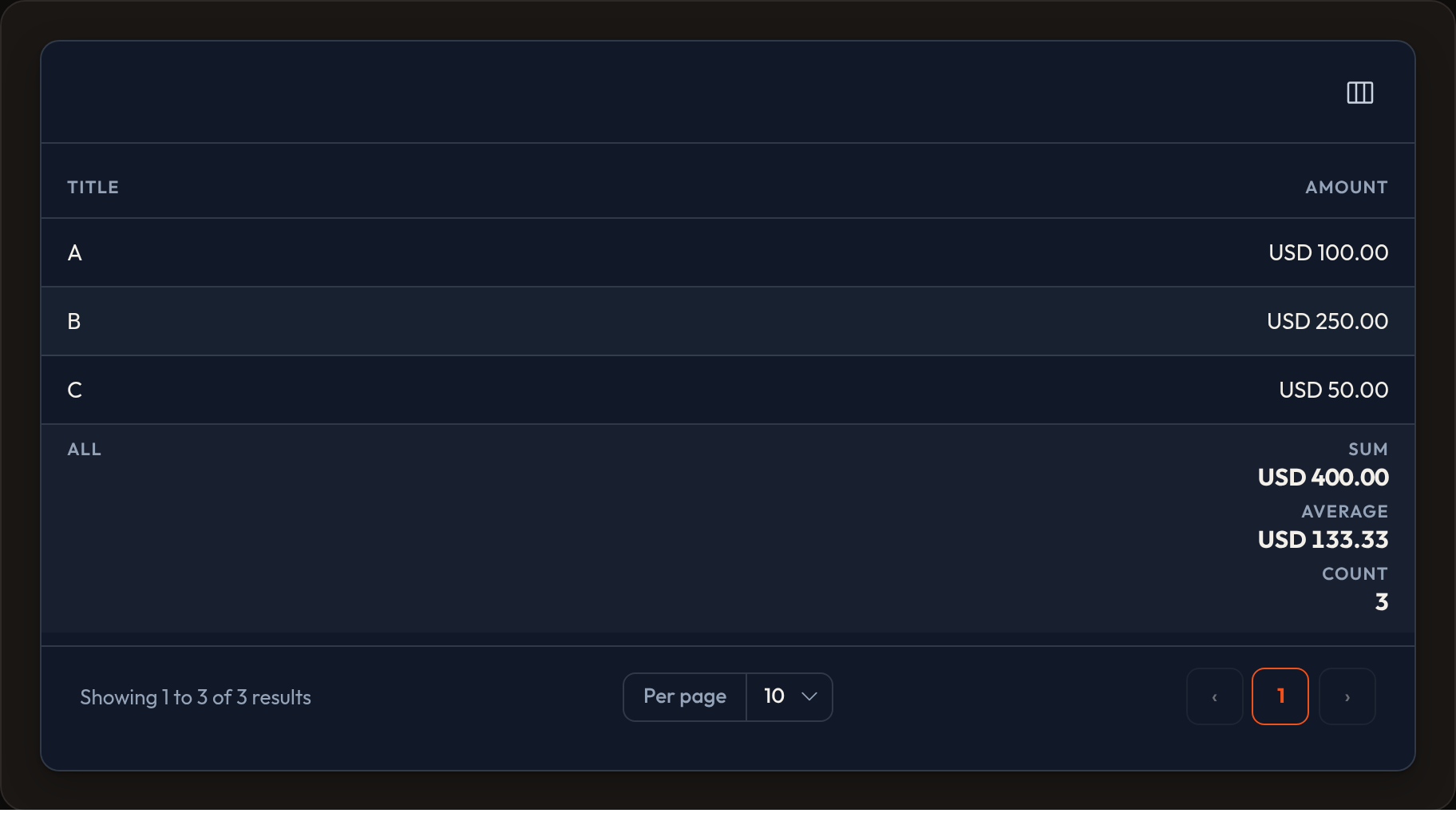
Summaries appear in the table footer. Attach summarizers to a column with .summarize(...), then choose page totals, all-table totals, or both.
from almasix.orbit.tables import Table, TextColumn, Sum, Average, Count, Range
table = (    Table.make("orders")    .columns([        TextColumn.make("id").summarize(Count.make().label("Rows")),        TextColumn.make("amount")            .money("USD")            .align_end()            .summarize(                Sum.make().money("USD").label("Total"),                Average.make().money("USD").label("Avg"),                Range.make().money("USD"),            ),    ])    .summaries(page=True, all=True)    .records(records))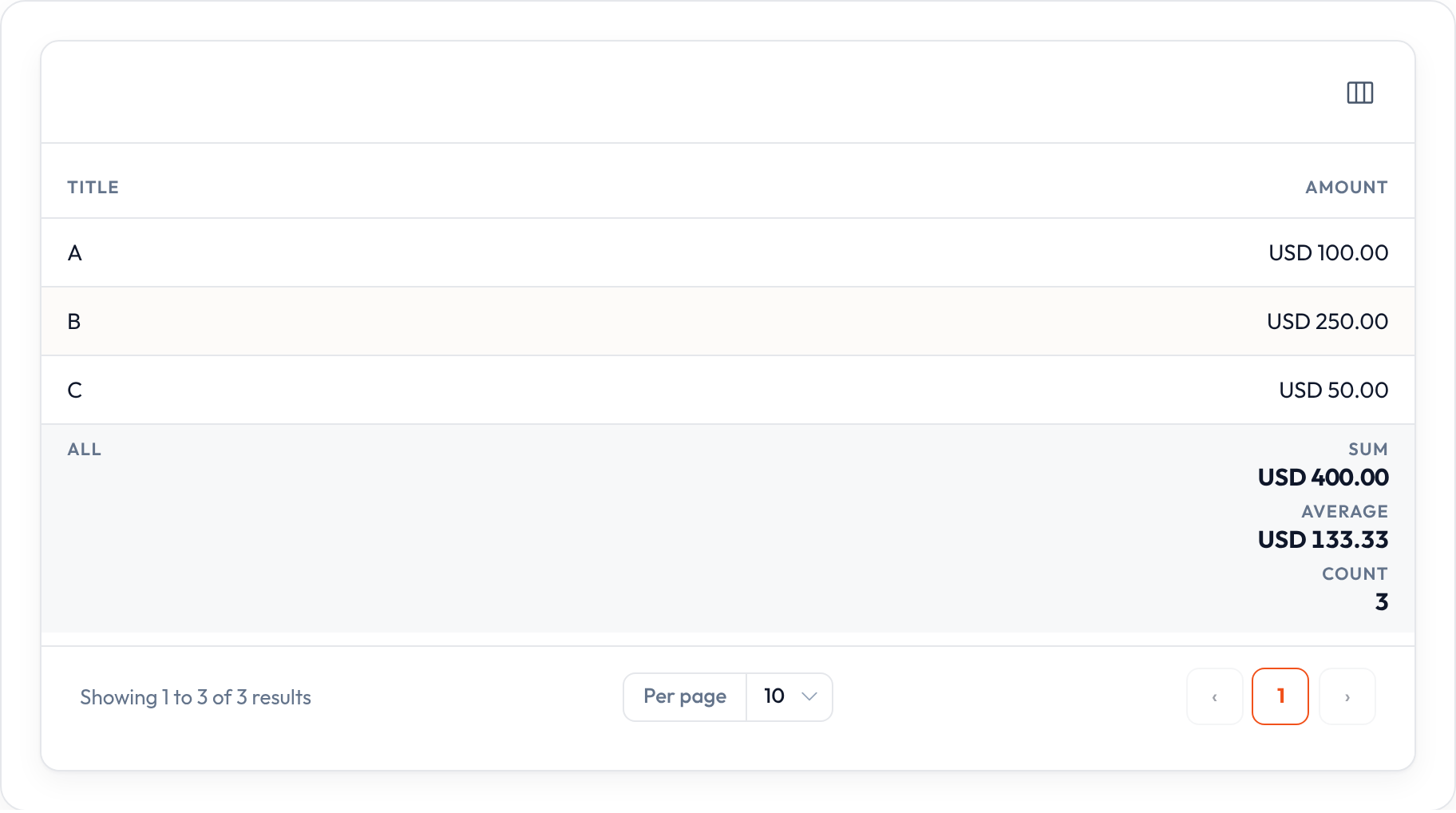
Money in the footer
Section titled “Money in the footer”Match the column’s currency formatting — major units or cents:
TextColumn.make("amount").money("USD").summarize(    Sum.make().money("USD"),)
TextColumn.make("cents").money("USD", divide_by=100).align_end().summarize(    Sum.make().money("USD", divide_by=100).label("Total"),    Average.make().money("USD", divide_by=100),)
Standalone example
Section titled “Standalone example”from almasix.orbit.tables import Table, TextColumn, Sum, Average, Count
records = [ {"id": 1, "sku": "ORB-01", "amount": 1200, "cents": 1999}, {"id": 2, "sku": "ORB-02", "amount": 450, "cents": 499},]
table = ( Table.make("sales") .columns([ TextColumn.make("sku").searchable(), TextColumn.make("amount").money("USD").align_end().summarize( Sum.make().money("USD"), Average.make().money("USD"), ), TextColumn.make("cents").money("USD", divide_by=100).align_end().summarize( Sum.make().money("USD", divide_by=100), ), TextColumn.make("id").summarize(Count.make()), ]) .summaries(page=True, all=True) .records(records))In a Resource example
Section titled “In a Resource example”from almasix.orbit import Resourcefrom almasix.orbit.tables import Table, TextColumn, Sum, Average, Count
class OrderResource(Resource): @classmethod def table(cls, table: Table) -> Table: return ( table.columns([ TextColumn.make("title").searchable().sortable(), TextColumn.make("amount") .money("USD") .align_end() .sortable() .summarize( Sum.make().money("USD").label("Total"), Average.make().money("USD"), Count.make(), ), ]) .summaries(page=True, all=True) )Hide a scope when you only need one footer:
table.summaries(page=True, all=False) # current page onlytable.summaries(page=False, all=True) # full filtered set onlyWith grouping, the same summarizers can roll up per group as well as in the table footer.
Key methods
Section titled “Key methods”| Piece | Notes |
|---|---|
Sum / Average / Count / Range |
Built-in calculators |
.summarize(*summarizers) |
Attach to a column |
.attribute(name) |
Read a different field than the column name |
.money(currency, *, divide_by=1) |
Format like the cell |
.numeric(decimal_places=…) / .prefix / .suffix |
Extra formatting |
.using(callback) / .query(callback) |
Custom calc or scoped records |
Table.summaries(page=…, all=…) |
Toggle footer scopes |
Preview
Section titled “Preview”